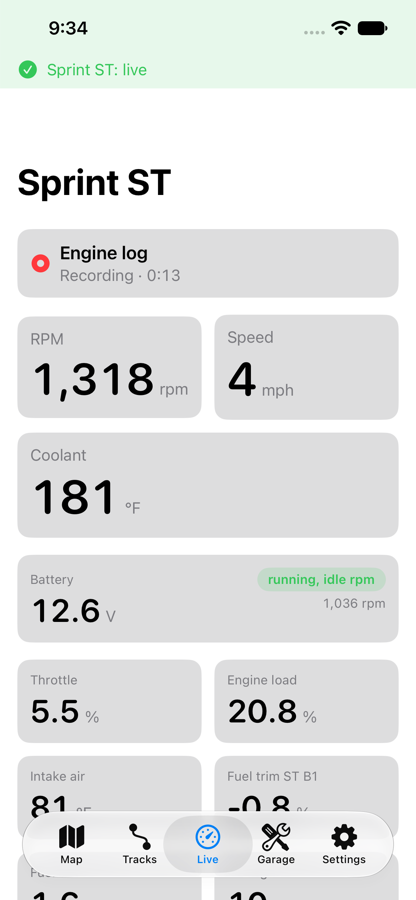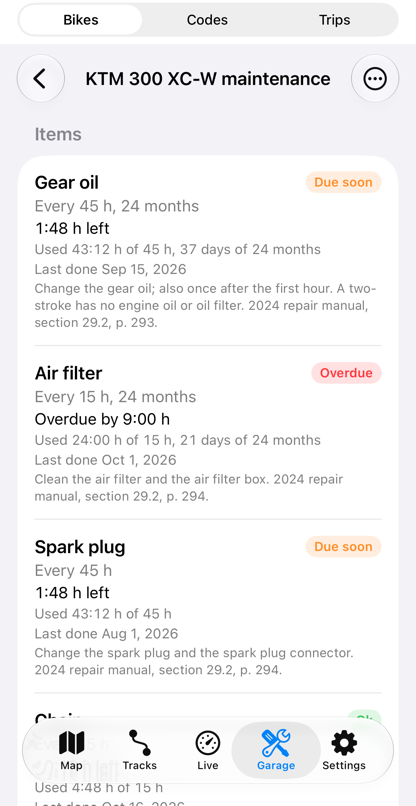
Life Lever Moto listens to what your bike says through a Bluetooth data connector, and turns it into things a rider can use. The data connector is a small plug that talks to your phone over Bluetooth and goes on the bike’s data port. The ride half of the app is on the ride page.
What it tells you

Codes
The fault codes your bike has stored, written so a rider can read them. The app reads codes, and clears them only on a bike whose profile allows it (today the Triumph), after you confirm.

Fuel
The app counts the distance since your last fill-up, across rides. Give it your tank size and fill-ups and it works out miles per gallon and warns you at your reserve. The Since fuel tile shows the miles since your fill-up and the fuel left.

Temperature
Coolant temperature live on the tiles, and the highest it reached on each ride, in the ride's engine summary.

Maintenance
Engine hours per bike and a service log by hours or miles, with what is due.

Battery watch
Reads battery voltage while you ride and start, and flags readings that look wrong. On the Triumph it fell 0.5 V in 23 minutes with the key on.

Live engine data
Tiles and a graph of rpm, throttle, coolant temperature and more, depending on what your bike says.
The data, on real rides
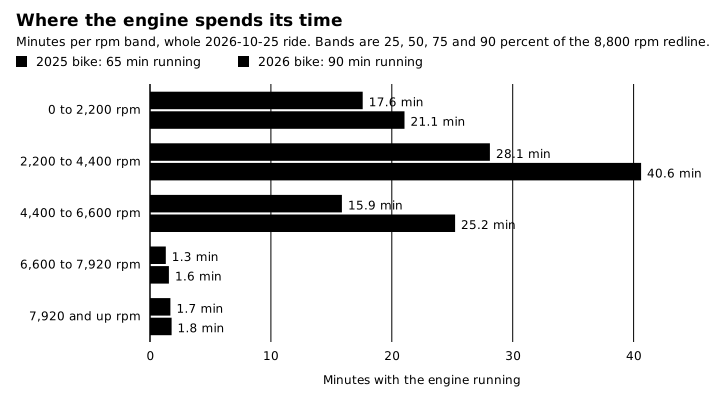
Where the engine actually lives: most engine time sits below 4,400 rpm, and the top two bands together are under 4 minutes on both bikes. One 2.5 hour trail ride.
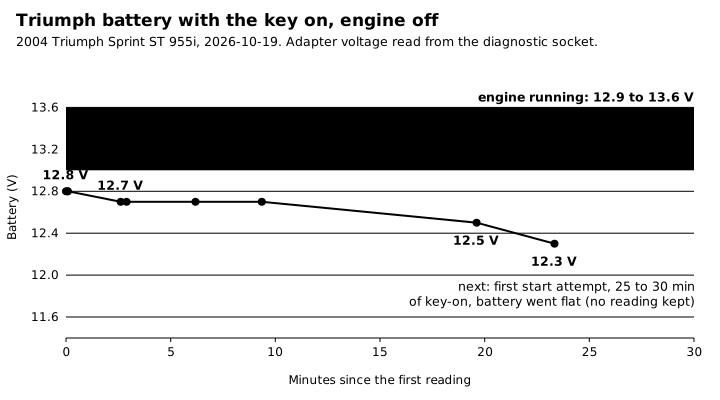
Key on, engine off: the Triumph’s battery fell from 12.8 to 12.3 V in 23 minutes. Running, it reads 12.9 to 13.6 V. This is why Moto watches the battery.
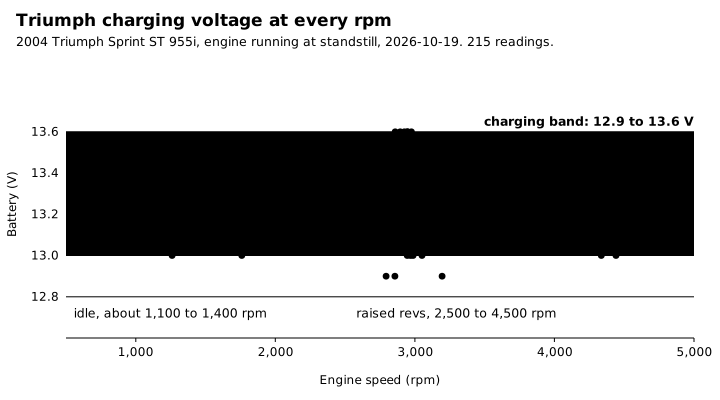
Charging voltage holds 12.9 to 13.6 V from idle to 4,500 rpm, with no trend: the charging system is healthy.
A look inside