
No AI needed. Loading and following the route happens in the app. Connect your own AI and it can also go over the event with you afterwards.
What you do
- Bring the event's GPX file into the app, tracks and waypoints, from an email, your files or a download link.
- Moto chains the tracks into one route and draws it on the offline trail map.
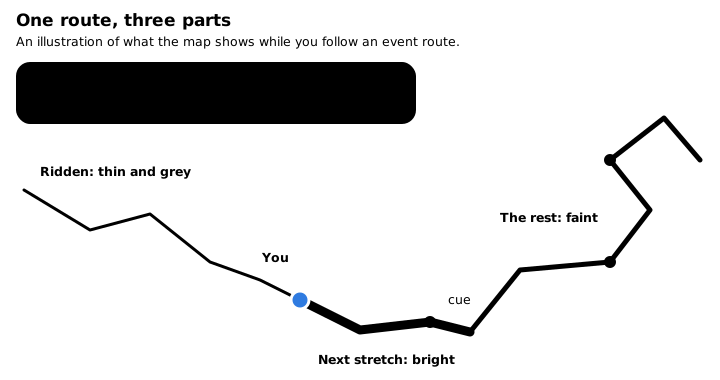
- Ride. The route moves with you, the next stretch stands out, and the app shows the distance to the next waypoint and names the next cue.
- Afterwards the ride is saved with your track, ready to export as GPX.
What you see
The route you have ridden fades, the next stretch is bright, and a bar names the next cue and how far it is.
Add your own AI, and ask
If you use an AI assistant, connect it to your lifelever and ask in plain words. It answers from your record and says where each number came from.
Example answer from your AI, using demo data
Where did I lose the most time on Saturday's event route?
Your AI
Most of it went in the technical section between the second and third checks.
| Section | Distance | Moving time | Stopped |
|---|---|---|---|
| Start to check 2 | 18 mi | 1 h 05 min | 9 min |
| Check 2 to check 3 | 11 mi | 1 h 22 min | 31 min |
| Check 3 to finish | 16 mi | 58 min | 7 min |
Section times come from your track and the route's waypoints.
What you need
- Needed An iPhone on iOS 17 or later
- Needed The event's GPX file
- Optional A handlebar mount that locks the phone and damps vibration
- Optional Your own AI assistant, if you want to ask questions about it
lifelever is in private beta, free while the beta lasts. Then it is $5.99 a month with every app included. Your own AI is optional, and its plan is separate. Pricing.