
No AI needed. The app reads and explains the codes on its own. Connect your own AI and it can also tell you whether a code has shown up before and what the bike was doing.
What you do
- Plug a small Bluetooth data connector into the bike's diagnostic port and pair it with the Moto app, once per bike.
- Turn the key. The app reads the stored and pending codes and explains them in plain words.
- Watch live readings beside them: rpm, coolant temperature, battery voltage, throttle. On a bike that allows it, clear a code after you confirm.
- Every code is kept with the bike's history, next to engine hours and service due.
What you see
The Moto app shows live values as large tiles, and keeps engine hours and service due for each bike.
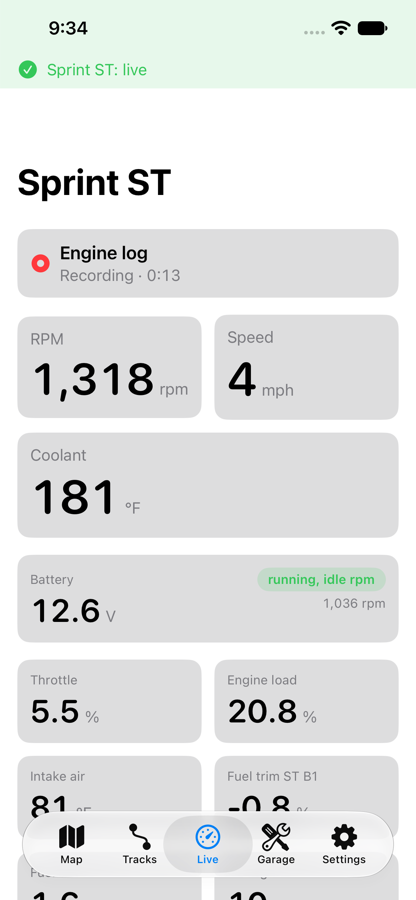
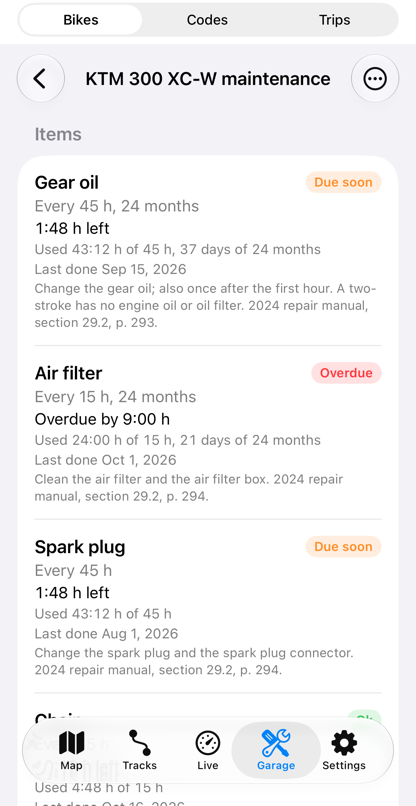
Add your own AI, and ask
If you use an AI assistant, connect it to your lifelever and ask in plain words. It answers from your record and says where each number came from.
Example answer from your AI, using demo data
The warning light came on yesterday. What was the code, and has it happened before?
Your AI
Yesterday's ride on the KTM 300 XC-W stored P0107: manifold pressure sensor, low reading. It is the first time this code is in your record for this bike.
When it was read, coolant was 78 °C and the battery 12.9 V with the engine running. No other code was stored.
Your record says what the bike reported. The manual or a shop says what to fix; a low reading from this sensor is often its plug or wiring.
What you need
- Needed A bike Moto reads: the KTM 300 XC-W TBI (2025 and 2026) and the 2004 Triumph Sprint ST 955i today, with more added as riders bring them
- Needed A Bluetooth LE data connector, and on the KTM a diagnostic cable. Beta riders get the exact tested parts list with their invite.
- Needed An iPhone on iOS 17 or later
- Optional Your own AI assistant, if you want to ask questions about it
lifelever is in private beta, free while the beta lasts. Then it is $5.99 a month with every app included. Your own AI is optional, and its plan is separate. Pricing.